For the complete documentation index, see llms.txt. The full corpus is available at llms-full.txt. This page is also available as Markdown by appending
.mdto the URL.
Your signing key
Your Ed25519 signing key is the identity. Not your login, not your handle, not your domain. It is generated on your own device, it never reaches our servers, and everything public about you is a document that key signed.
Why the key and not the login
Section titled “Why the key and not the login”Login answers one question: which identity row you are allowed to edit. It cannot sign, so it cannot produce a proof, so nobody who steals a session can become you.
That boundary is the point of the product. Merge login authority with proof authority and you get a service where the operator can sign as any user, which means every proof is really a statement about the operator instead of about the person. Keeping them apart is what makes the proof survive us.
The same logic covers the destructive actions. Renaming a handle and deleting an identity never touch the manifest, so a stolen session could once vandalise an identity it could not forge. Both now need a signature from the identity’s key as well as a login.
Why the key and not the domain
Section titled “Why the key and not the domain”A domain is a lease. It expires, it gets seized, it gets bought by somebody else. If a domain were the identity, whoever holds it next would inherit you.
Under this design the next holder inherits a name and nothing else. A file can still be hosted at that address, but it cannot carry your signature, so verification fails and the identity does not move. See Anchoring.
Where the key actually lives
Section titled “Where the key actually lives”We hold the public half. That is all we need to check a signature, and all anyone needs to check yours. Everything else is on the device in front of you.
| Copy | Where | Protected by |
|---|---|---|
| Working copy | In the page, and in this browser’s IndexedDB for 7 days after you unlock | Non-extractable: it can sign while the app is open, and the raw bytes cannot be read back out |
| Identity Backup | This browser’s local storage, and the file you downloaded | Your Unlock Phrase, via PBKDF2 (210,000 iterations) into AES-GCM |
| Passkey unlock, optional | This device’s authenticator | Face ID, fingerprint, or device unlock |
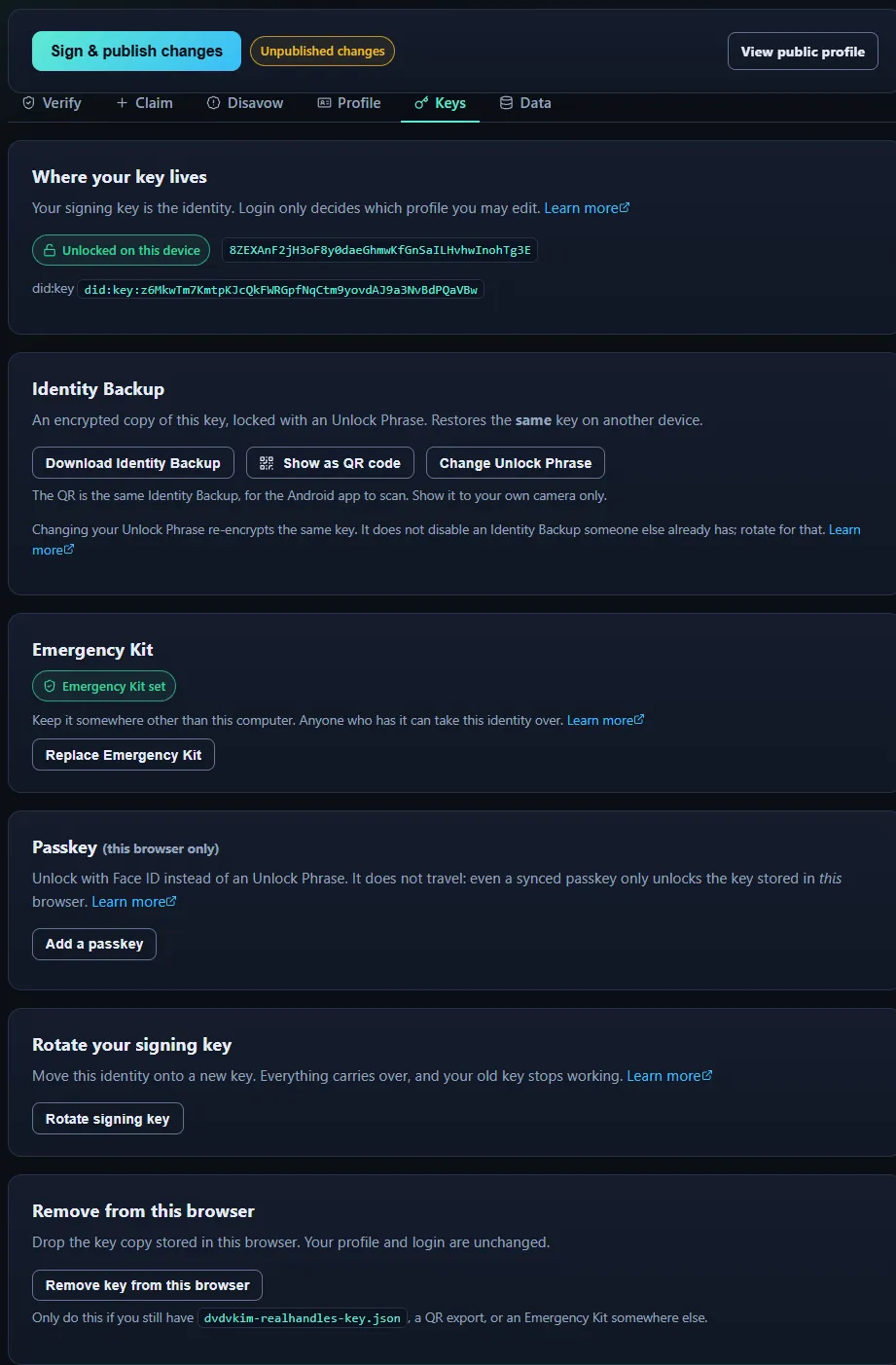
Signed in and still unable to sign. The session knows who you are and holds no key, so the profile is readable and the proof is not editable. That is the whole model in one screen.
Everything about the key is on the Keys tab: which key this phone holds, its key ID and did:key, whether it is unlocked, and the keys this device has pinned for other people.
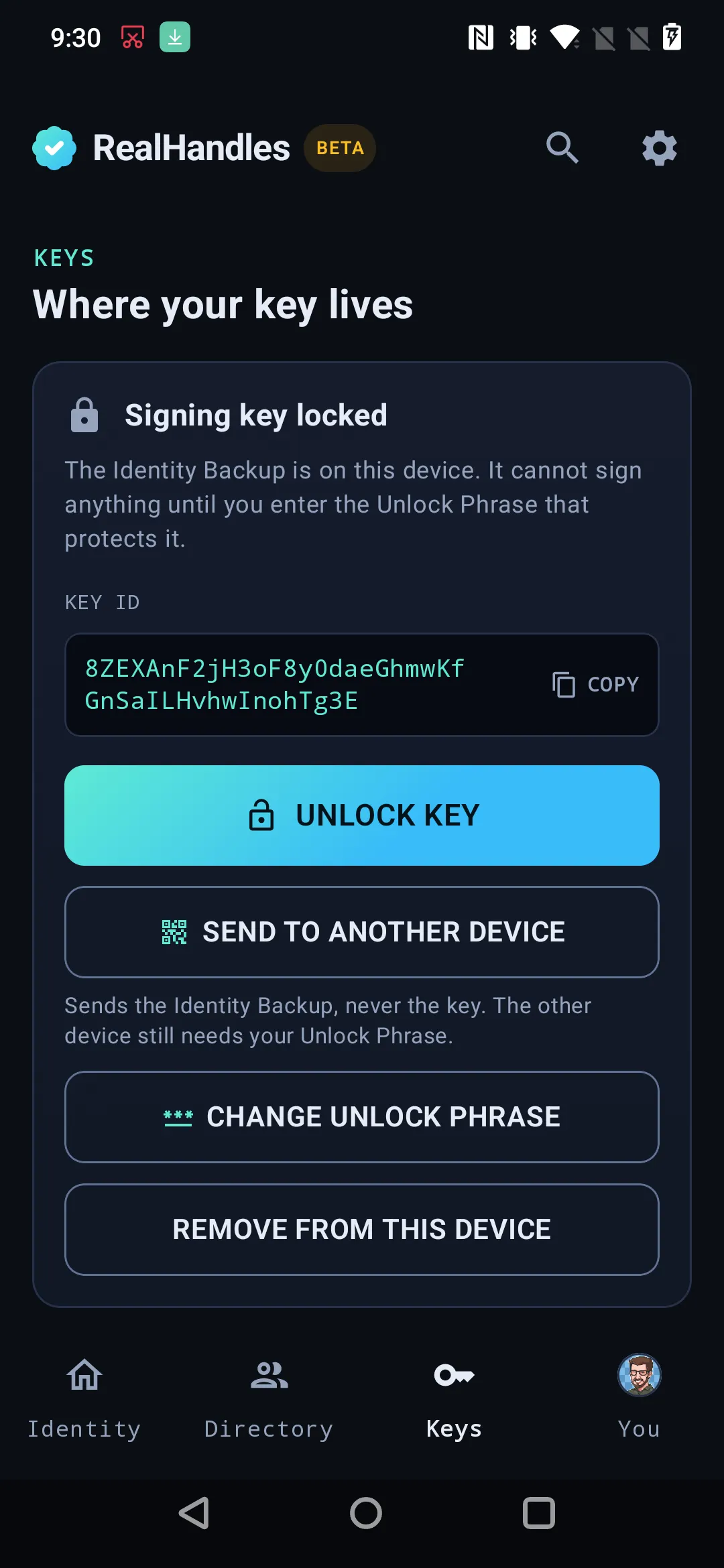
Biometric unlock is a convenience over the Unlock Phrase, never a replacement. Enrolling a new fingerprint invalidates the wrapped key on purpose.
Back it up properly
Section titled “Back it up properly”Download the Identity Backup and put it somewhere that is not the device you use every day. Losing the device is the exact situation the Identity Backup exists for.
Your Unlock Phrase is the only thing that opens it. It is not stored anywhere and it cannot be reset, so keep it in your password manager, not in your head.
Unlocking without typing the Unlock Phrase
Section titled “Unlocking without typing the Unlock Phrase”Each client has a shortcut, and they are different mechanisms. Neither one travels to the other: setting up a passkey in your browser does nothing for the phone, and turning on biometric unlock does nothing for the browser. Both are per device, and a passkey is per browser on top of that.
Whichever you use, the Unlock Phrase stays the strong path, so no authenticator can ever lock you out.
Add a passkey is on the Profile tab, and it needs your key unlocked first. A passkey saves you typing the Unlock Phrase every time. It does not replace the Unlock Phrase.
- With PRF support (Apple, Windows Hello, Android, recent 1Password and Bitwarden) the authenticator derives the unlock secret itself, and it exists only for the moment of unlock.
- Without PRF, the key is wrapped with a random secret held in this browser and a successful passkey check is required before anything decrypts. That is a convenience on this device, not a hardware-bound secret.
Even a passkey that syncs across your devices only unlocks the key material stored in this browser, because that is the only place it exists. Exporting an Identity Backup or changing a passkey still needs a fresh Unlock Phrase unlock, because those operations need the raw key.
The app has biometric unlock instead. Your Unlock Phrase is kept on the device, held by hardware that will not release it without your fingerprint or face. Unlocking then works the same as typing the Unlock Phrase, because it is the Unlock Phrase.
- Your Unlock Phrase never stops working, and it stays the only thing that opens your Identity Backup on any other device.
- Adding a new fingerprint or face to the phone erases the stored Unlock Phrase. That is the design: somebody who enrols a finger on a phone found unlocked gets nothing. Type the Unlock Phrase once and turn it back on.
- Turning it off destroys the stored Unlock Phrase copy and touches neither your key nor your Identity Backup.
Moving to another device
Section titled “Moving to another device”Move the Identity Backup, not the key. The file is already encrypted, so the Unlock Phrase stays in your head and the file can travel by any route you like. On the other device, import it and unlock it.
A QR code carries the same Identity Backup, and it tops out at about 2.9 KB, so use the file if a transfer refuses.
Download Identity Backup and Show as QR code are both on the Profile tab, under Advanced: Identity Backup, Unlock Phrase, and key rotation. The QR code is what the Android app scans, so a key reaches a phone without a file crossing between them.
Show it to your own camera only. It is useless without your Unlock Phrase, and it is one guessed Unlock Phrase away from being your key, so it does not belong on a call or a stream.
Two ways in, and only one of them is right for an identity that already exists.
- Scan it. On realhandles.com open the Profile tab, choose Show as QR code, and scan that from the Keys tab. The code carries the Identity Backup, so the Unlock Phrase is still needed to open it.
- Make it here. Only when you are starting from nothing. Claim your handle on the Identity tab generates the key on the device. Doing this when you already have an identity makes a second, unrelated key, which is not what you want.
Sending the key back out is Send key to another device, as a QR code or as realhandles-key.json. What travels is the Identity Backup, never the key itself, and the app says so before it puts anything on screen or into a share sheet.
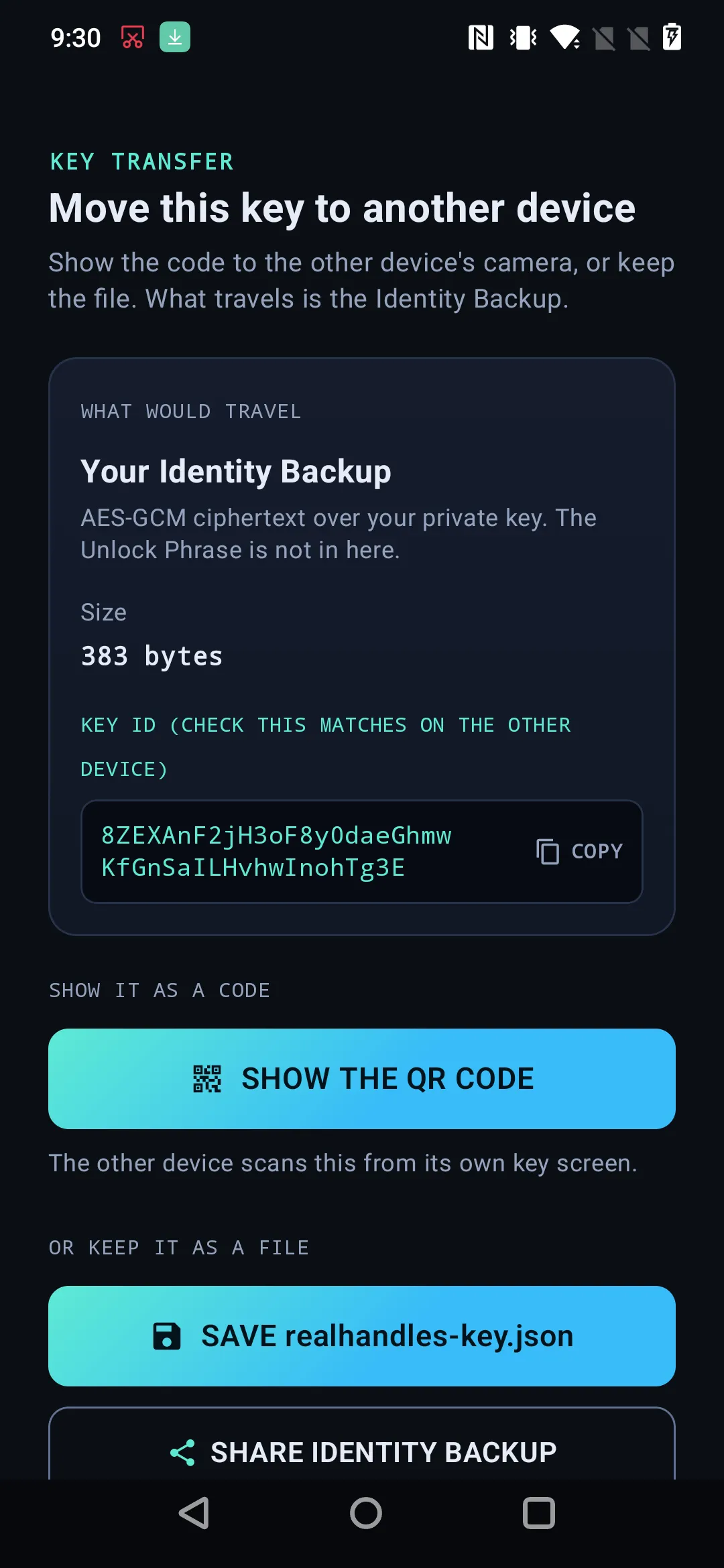
The QR carries the Unlock Phrase-encrypted envelope, never the raw key. Anyone who photographs it and knows the Unlock Phrase owns the identity.
Changing the Unlock Phrase
Section titled “Changing the Unlock Phrase”Changing it re-wraps the copy you are working with. Your key, your handle, and your published history are all untouched, because none of them depend on the Unlock Phrase.
What does not change: Identity Backups you already downloaded, and any QR code or printout made from one. Those stay encrypted under the old Unlock Phrase, and they keep working with it forever. Export a fresh Identity Backup if you want everything on the new one. If the goal is to stop an old Identity Backup working at all, that is a rotation, not an Unlock Phrase change.
Change Unlock Phrase sits next to the Identity Backup buttons on the Profile tab, under the same Advanced section, and it re-encrypts the copy this browser holds.
Change Unlock Phrase re-wraps the copy on that phone and nothing else.
Remove from this device takes the key off the phone. If that was the only copy, the identity goes with it, and nobody can restore it, RealHandles included.