For the complete documentation index, see llms.txt. The full corpus is available at llms-full.txt. This page is also available as Markdown by appending
.mdto the URL.
Disavowals
A disavowal is the inverse of a claim: a signed statement that an account is not you, or that you are not on a platform at all. It sits in the same signed manifest as everything else, so it carries the same weight as the accounts you claim.
Two kinds
Section titled “Two kinds”This account or address is not me. Names one specific thing: a profile by handle or link, a wallet address, or an email address. Use it for a known impersonator, or for a same-name person who is not doing anything wrong but keeps getting mistaken for you. A Solana or Phantom username held by a stranger is exactly the case people arrive with, and it belongs here as much as a social account does.
I am not on this platform. Declares that you have no account there at all, which makes every account on that platform claiming to be you fake by definition. Stronger than listing impersonators one at a time, and it does not go stale as new ones appear.
What you can say
Section titled “What you can say”A disavowal needs a platform, and the platform can be solana, ethereum, lightning, email, signal or whatsapp as readily as it can be x or instagram. An account disavowal also needs a handle or an address, because a statement that does not say which one is not a statement about anything. A short note is optional, and it is the part that does the work for a reader: “known impersonator”, or “same name, different person”.
Order matters. The list is shown in the order you set, so put the one people keep falling for at the top.
Writing one
Section titled “Writing one”Both clients ask the same first question, because the two kinds are different statements rather than two settings on one statement.
The Disavow tab holds a form above your list. The first field is the choice between A specific account or address is not me and I am never on a platform, and picking the platform option puts the handle and link fields away, because they no longer apply.
Then the platform, the Disavowed handle or address, an optional link, and the optional note. Add to disavow list puts it on the list below.
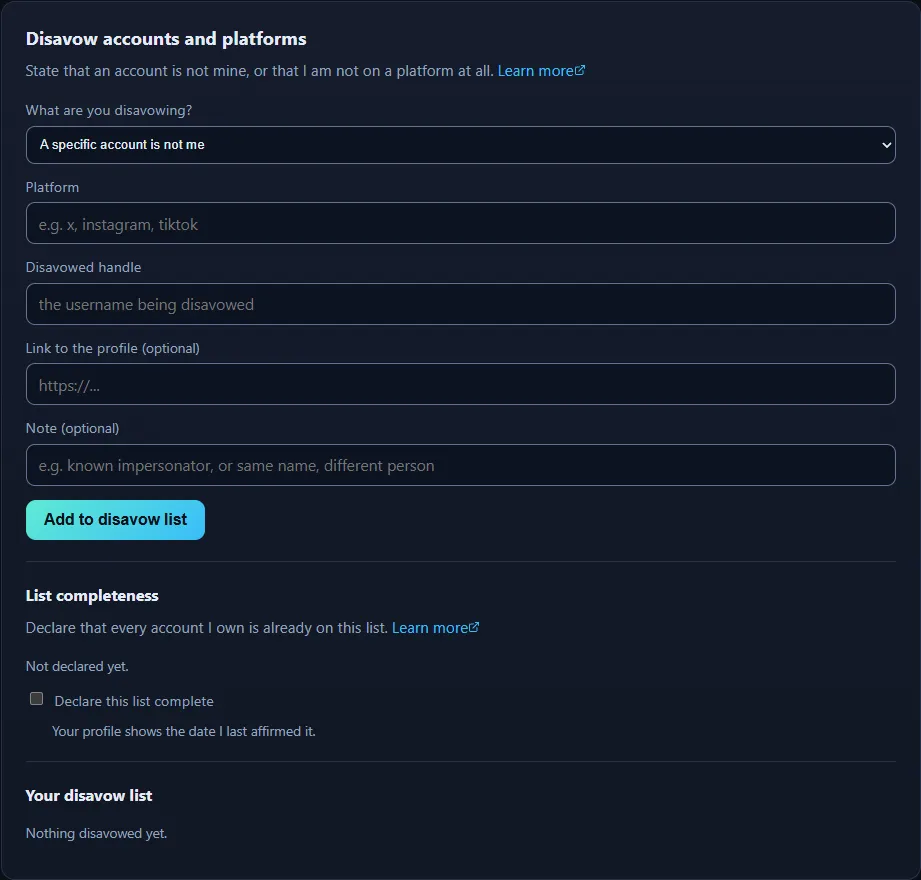
A disavowal is signed into the manifest exactly like a verified account, so it carries the same weight as the rest of the identity rather than being a note on the side.
Each row on the list carries up and down arrows, a pencil, and a remove control. The pencil refills the form above with that entry, including the choice of kind, so a statement written about one account can be turned into a statement about the whole platform without deleting anything.
Disavowals get a section of their own: Identity > Disavow.
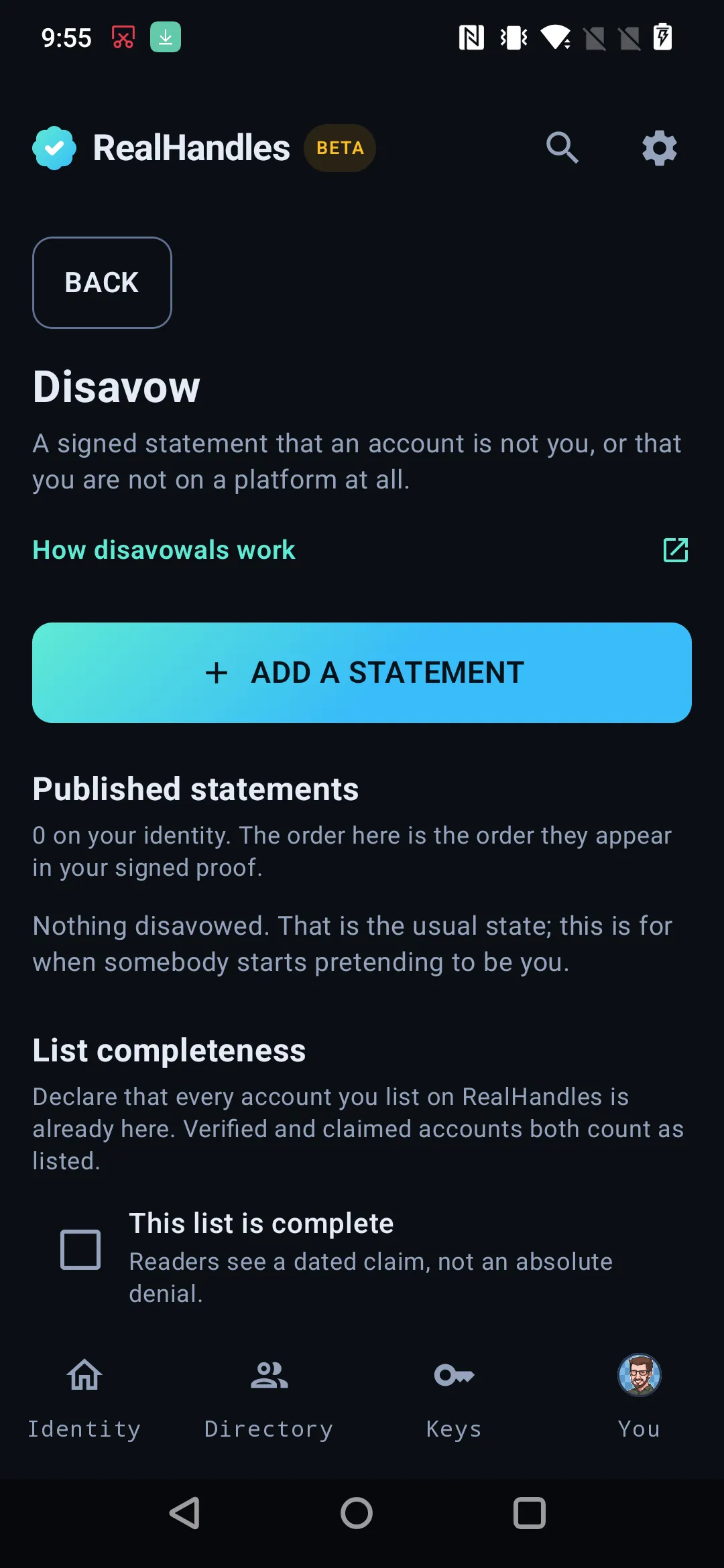
A disavowal is signed into the manifest exactly like a verified account, so it carries the same weight rather than being a note on the side.
Adding one asks the same first question the website does, as two choices at the top of the form: One account or address, which names one account, wallet address or email that is not you, or A whole platform, which says you have no account there at all. Everything after that is the platform, the Handle or address, an optional link, and the note that does the real work for a reader.
Published statements reorder with the same arrows and jump-to-position control as accounts, and the order you set is the order the manifest publishes, so the impersonator people keep falling for goes at the top.
Correcting one that is already published is on the row itself, under Options. What a statement covers cannot be edited there: a disavowal of one account never becomes a disavowal of the whole platform by an edit, because those are different statements. Remove the old one and add the one you meant.
Publish for it to count
Section titled “Publish for it to count”The statement lands on realhandles.com immediately and enters your signed proof when you publish and re-sign. Until then, anyone verifying you independently sees the previous version with no disavowal in it. See The signed manifest.
Editing or removing one changes what you publish from now on. Versions you already signed keep what they said, because the history is append-only, and that is what makes editing an old version impossible for us as well as for you.
Reporting somebody else’s impersonator
Section titled “Reporting somebody else’s impersonator”Disavowals are what you say about accounts elsewhere. Reporting is what anybody says about a RealHandles profile, and it needs no account at all, because the person being impersonated usually does not have one. A human reads reports.
This is the one thing in the product you do about someone else, so it is deliberately kept off the signed manifest. Your key says what is yours and what is not yours. It does not adjudicate other people.
Every public profile carries a Report it link at the bottom, which opens the report form with that username already filled in. It asks for a reason, the details, and an email to follow up on. No sign-in, and no identity of your own.
Reporting is deliberately somewhere else in the app, under Identity > Data, and needs no identity of your own.