For the complete documentation index, see llms.txt. The full corpus is available at llms-full.txt. This page is also available as Markdown by appending
.mdto the URL.
Recovery and rotation
Two different problems, two different answers.
- Rotation is for a key you still have and no longer want. The old key signs the handoff.
- Recovery is for a key that is gone. Keys you named in advance sign the handoff instead.
Both change the signing key. Neither one involves a login, a support ticket, or us. There is no third path, and adding one would mean somebody other than you could sign as you.
Where you do this
Section titled “Where you do this”Both live on the Keys tab of the dashboard. Rotate signing key is disabled until your current key is unlocked, because only that key can authorize a new one.

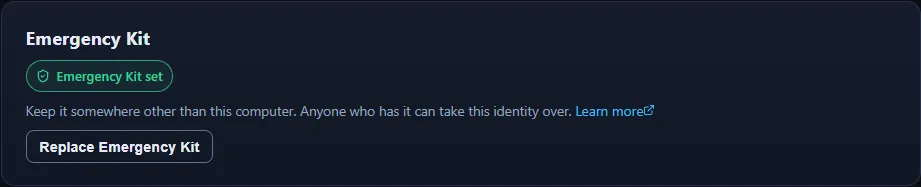
The Emergency Kit has its own panel on the same tab, showing whether one is set and offering to replace it.
The lost-key path is on the unlock screen rather than in the dashboard, for the obvious reason that you cannot get into the dashboard. Upload the Emergency Kit file, or type the Emergency Kit. If the identity never published a policy, that screen says so plainly instead of offering a route that does not exist.
Both are in the app, on the Keys tab, and both have been run end to end against a published chain. The phone is a full client here, not a viewer.
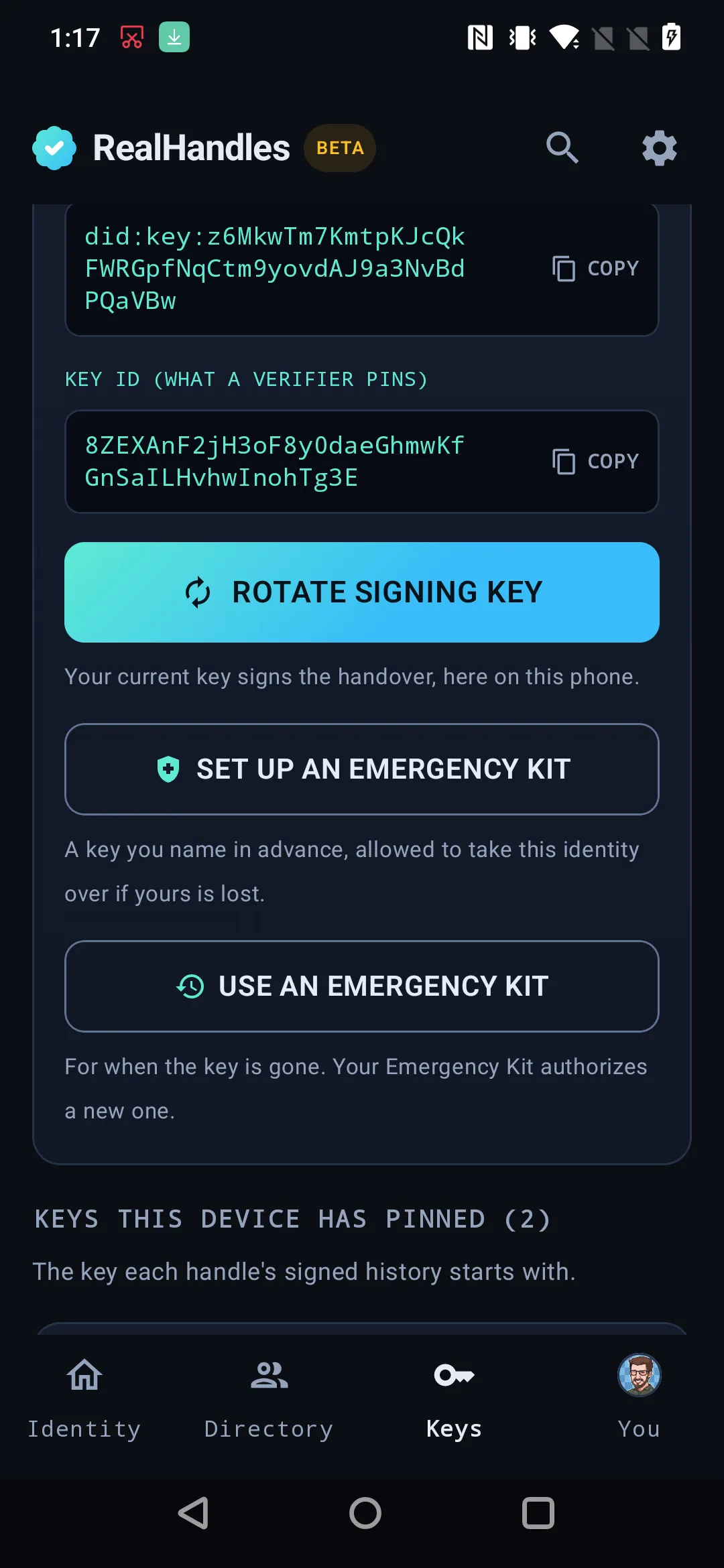
Rotate signing key generates the new key on the device and has the current key sign the handoff there, which is the honest place for it: the key is on this phone, in an encrypted envelope this phone holds, so the signature that authorizes its replacement can only be produced here.
Set up an Emergency Kit names a key in advance. Use an Emergency Kit is the other direction, for when the signing key is gone.
The app also shows the result. The signed history under Identity > Data names a rotation or a recovery on the version that carried it, and says whether the handoff was authorized. See Reading the history.
Rotation
Section titled “Rotation”You generate a new key, and your old key signs a statement authorizing exactly that new key at exactly that point in your history. The new manifest carries both: it is signed by the new key, and it contains the old key’s authorization.
That is what makes it a handoff rather than a stranger appearing. Anyone who had pinned the old key sees an authorization the old key produced, and follows it forward. Somebody who has only stolen the new key cannot produce that authorization.
The server checks four things before it accepts the change:
- The manifest verifies under the key that signed it.
- Its position in your history matches the one we actually hold. The authorization is bound to a position, so it cannot be saved up and replayed later.
- The named previous key is the one currently registered to you.
- The old key’s signature covers exactly this key change, byte for byte.
Two things break on purpose when you rotate
Section titled “Two things break on purpose when you rotate”Your anchor drops back to unchecked. The file hosted on your domain was signed by the retired key, so it is no longer proof of anything. Re-host and re-verify. Leaving a green badge on a file that no longer verifies would be a lie. See Anchoring.
Your old Identity Backup stops unlocking this identity. It still opens, and it still contains the old key, which is now the wrong key. Take a fresh Identity Backup, which the flow requires before it lets you finish.
Recovery
Section titled “Recovery”An Emergency Kit is a key you designate in advance, inside your published manifest, and it is the only thing that can take an identity back when the signing key is gone.
Signup asks you to save exactly one thing for this: your Emergency Kit. Set up later and it is still the same mechanism, just later.
The policy has a threshold, which is why it is a policy and not a single field. One printed Emergency Kit is a threshold of one, and that is what this product creates today.
The rule that makes recovery safe
Section titled “The rule that makes recovery safe”The policy that counts is the one published before the recovery, never the one the recovering entry declares about itself. Otherwise an attacker could simply arrive naming a fresh set of Emergency Kits and approve the takeover with them.
Every time you re-sign, the current policy is carried forward automatically, so an ordinary publish never quietly strips an Emergency Kit you set up months ago.
If you never published a policy, there is nothing to recover with, and a lost key is final. That is the honest consequence of having no reset link.
What this actually guarantees
Section titled “What this actually guarantees”Guaranteed. Anyone reading your full history can tell an authorized key change from an unauthorized one. Both a rotation and a recovery leave a signed record inside the chain, and neither can be forged by somebody holding only the new key. We cannot forge one either, because we never hold a key that can sign the statement.
Not guaranteed. A verifier who has only ever seen your latest manifest pins whatever key signed it, and cannot tell whether that key arrived legitimately. Catching an unauthorized swap requires the history, which is why every version is kept and served. See Reading the history.
Also not guaranteed: that an Emergency Kit stays in the right hands. The protocol enforces that the holder was designated by you. It cannot know who is holding it now.