For the complete documentation index, see llms.txt. The full corpus is available at llms-full.txt. This page is also available as Markdown by appending
.mdto the URL.
Verifying an account
An account is Verified when a first party confirmed you control it: the platform itself, a post only the account holder could have made, a DNS record, or a signature from the key behind the account. Everything else is Claimed, which is your word and nothing more.
The distinction is not decoration. If the two were mixed together the word verified would stop meaning anything, which would make the whole directory worthless.
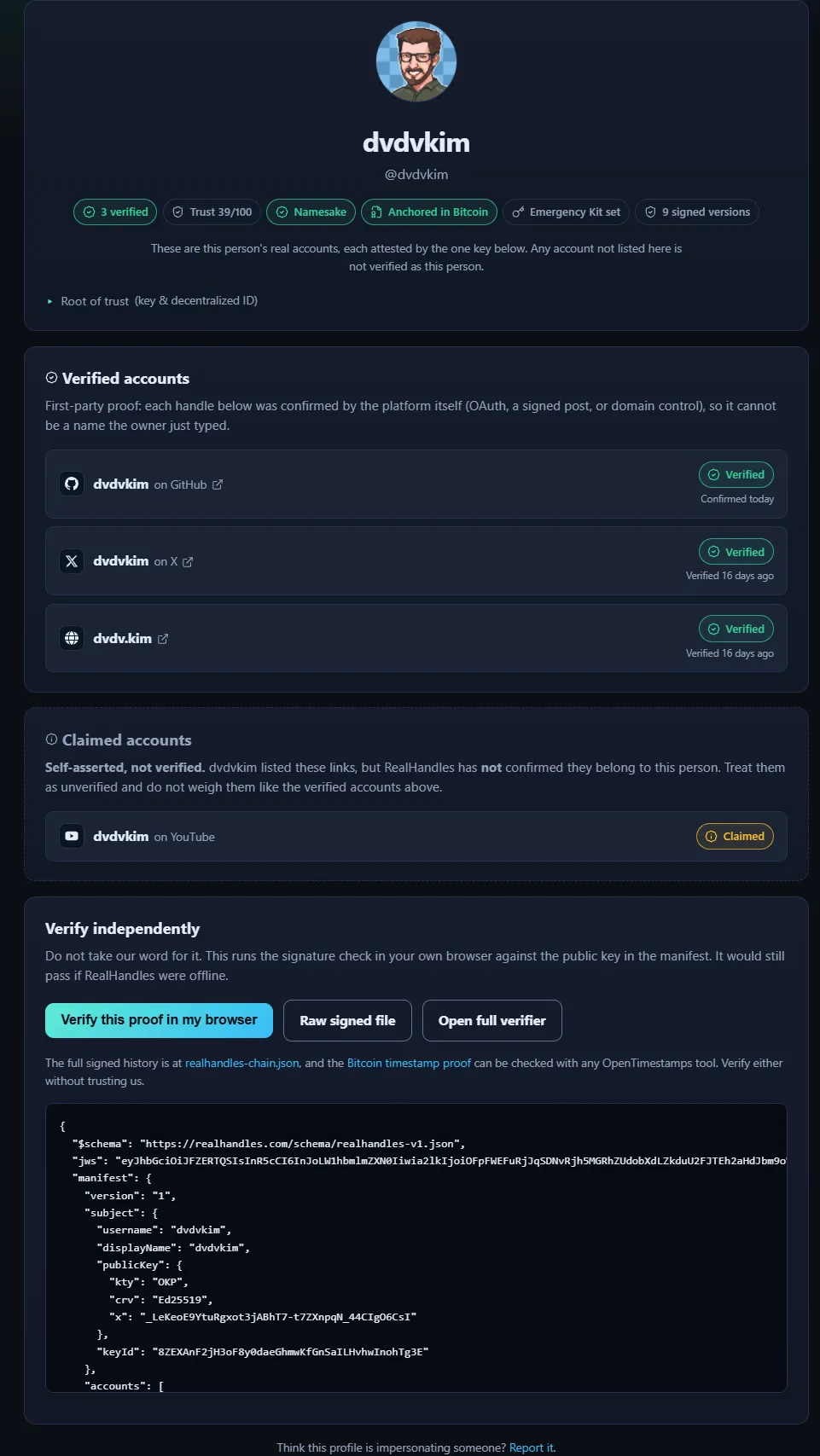
The two lists are drawn apart on purpose, and the claimed one says plainly that RealHandles has not confirmed anything about it.
Some rows on a public profile do something other than open a link. A payment or wallet address, and a Signal or WhatsApp username, carry a copy button, because copying is the honest action for an address nobody wants to retype and for a username that has no reliable link. A contact email is the deliberate exception: it reads Show email until a visitor asks for it, and only then does it become a mailto link with a copy button beside it. Nothing about the address sits in a ready-to-copy control on first paint, so a scraper reading the page does not collect it for free. See Claiming an account.
Verify before you claim a handle
Section titled “Verify before you claim a handle”Proofs attach to your login, not to an identity. That is deliberate: a handle of 8 characters or fewer needs a matching proof, and you would otherwise have to claim the handle before you could prove you deserved it. Verify first, then claim.
The methods
Section titled “The methods”| Method | What it proves | Status | Can hold a short handle |
|---|---|---|---|
| Sign in with the platform (OAuth) | The platform says this account is yours | Verified | Yes, on a key platform |
| Post a one-time token (X, TikTok) | Only the account holder could publish it, and the platform tells us the author | Verified | Yes |
| Token in your channel description (YouTube) | Same, read back through the platform’s own API | Verified | Yes |
| Bluesky handle lookup (atproto) | The public atproto record resolves to you | Verified | Yes |
| Domain control (file or DNS TXT) | You control the domain | Verified | Yes, and it is the strongest |
| Wallet signature (Ethereum, Solana) | The address signed our challenge | Verified | No |
| Lightning Address (LUD-16) | The address’s /.well-known/lnurlp/ endpoint answers as LNURL-pay | Verified | No |
| Nostr signature | The key behind the account signed our challenge | Verified | No |
Mutual rel="me" link | You listed the page and the page links back to this exact profile | Verified | No, see below |
| Token somewhere on a page | Somebody edited that page | Claimed | No |
| Self-attested | Nothing | Claimed | No |
Live OAuth platforms today: GitHub, Discord, Twitch, GitLab, Dribbble.
The two platforms people ask about are no longer a flat no, and they are no longer the same answer as each other. LinkedIn reaches Verified with a token at the start of your About section or in your headline, read back from what the page itself publishes. Instagram publishes nothing you wrote in the place a token could go, so the only route Meta left is a sign-in, it reaches Business and Creator accounts only, and it is switched on per deployment. Where it is not offered, an Instagram account lands as Claimed.
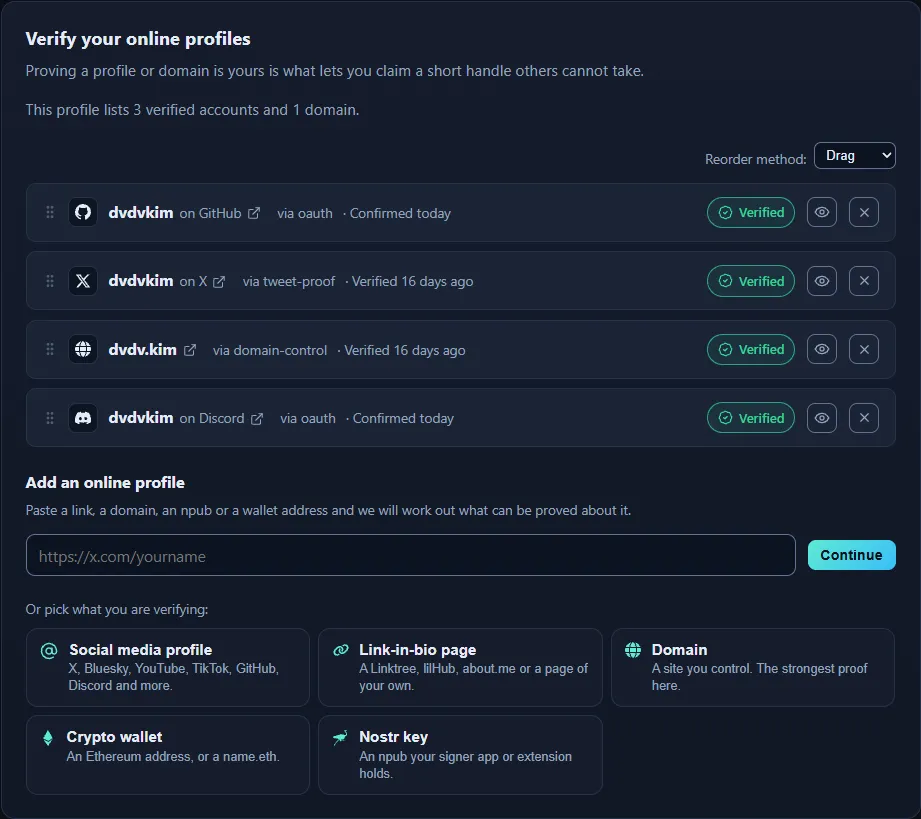
Three proofs, three different methods. A domain verified by DNS sits in the same list as an OAuth sign-in and a posted token, because all three are first-party checks.
Why some verified proofs still cannot hold a short handle
Section titled “Why some verified proofs still cannot hold a short handle”Three separate questions get asked about every proof, and a proof can pass one and fail the next.
- Is it verified? Did a first party confirm control.
- Does it add to the trust score? Every verified proof does. Claims do not.
- Can it reserve a scarce handle? Only a domain, or a matching handle on a curated key platform, proved by a method other than
rel="me".
The third bar is the strict one, and the reason is scarcity, not strength of evidence. @ben on X is globally unique and hard to get, so holding it really is a claim to the name “ben”. A rel="me" link on a page you built, or an account on a platform where anyone can register any name, proves you control that thing but proves nothing about the name. A namesake could mint one just as easily as you can, so it never takes a scarce name from somebody who can prove it.
Same logic for domains. A matching .com scores highest, established TLDs score below it, and anything else scores under the protected threshold. Otherwise ben.xyz for a dollar would beat a person who actually holds @ben.
Where a verification starts
Section titled “Where a verification starts”Both clients ask the same first question now, in the same order, from the same list of five types: a social media profile, a link-in-bio page, a domain, a crypto wallet, or a Nostr key. You are never asked to pick a method. Nobody holds a method, people hold a thing, and which proof that thing can reach is our problem rather than yours.
Verification lives on the Verify tab, and it starts with a paste box: drop in a link, a domain, an npub or a wallet address and the server answers with everything that thing supports, strongest first.
Under it are the same five types as tiles, which double as the answer to “what can this product even do”. Claiming is offered after them rather than as a sixth tile, because a claim is not a verification and putting it in the row would set it beside five proofs at the same weight.
The social tile holds the one-click platform sign-ins, and under them the post-a-token form. That dropdown only lists platforms that can reach Verified, which is why it is shorter than the list of platforms you can claim. X and TikTok take the token in a post and want the post URL back. YouTube and Bluesky take the token in the channel description or bio and are checked by handle, so there is no URL to paste. LinkedIn, Facebook and Threads take it at the start of the About section, Page description or bio, and want the profile URL back.
Verifying lives under Identity > Verify.
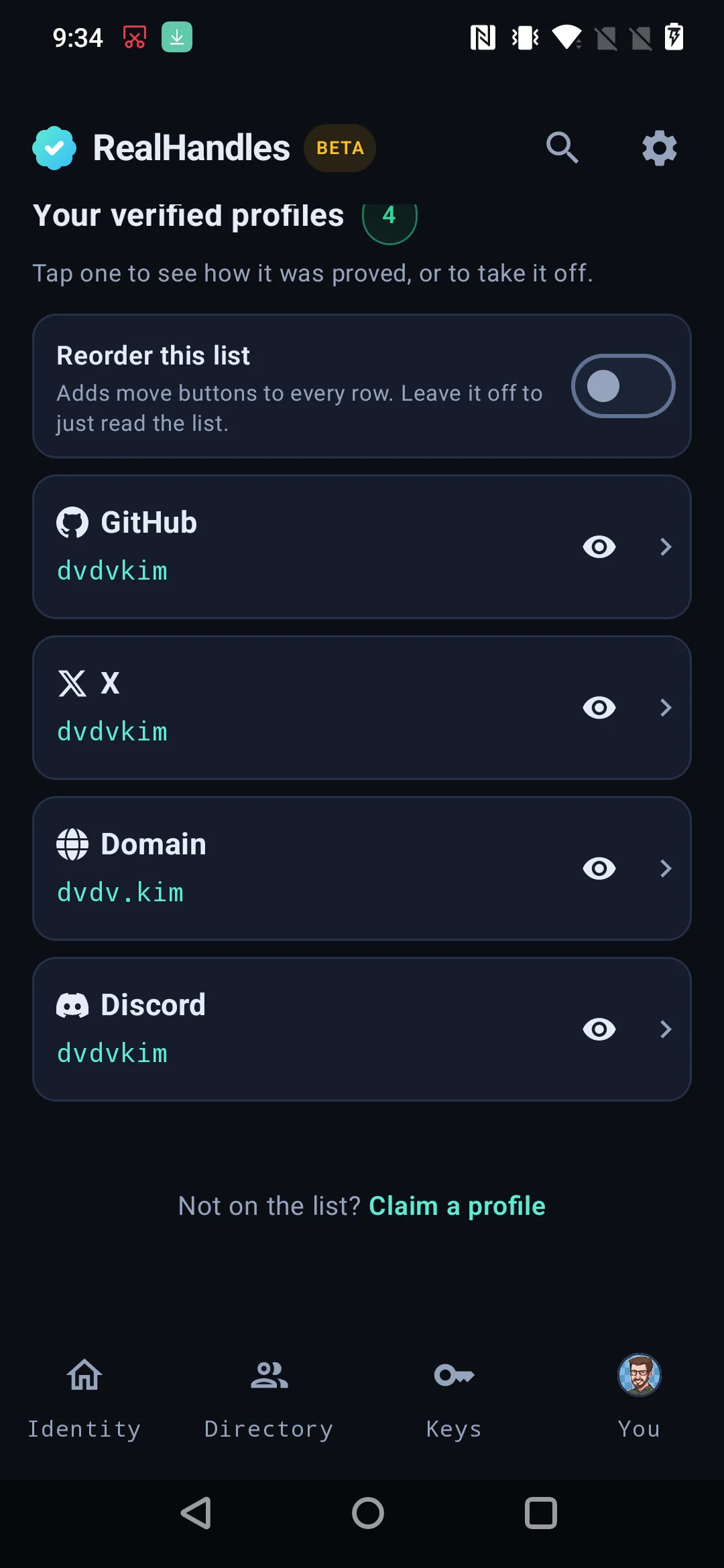
Actions at the top, then every verified account. Each row reorders with arrows or a typed position, and the order you save is the order the manifest publishes.
Add an online profile is the way in for anything with a link. Paste it and the server answers with everything that link supports, strongest first. Paste github.com/yourname and you are offered the GitHub sign-in. Paste a page nothing can confirm and you are offered a claim instead. Before anything happens the screen says which one you are about to get, and whether that proof is strong enough to reserve a short handle.
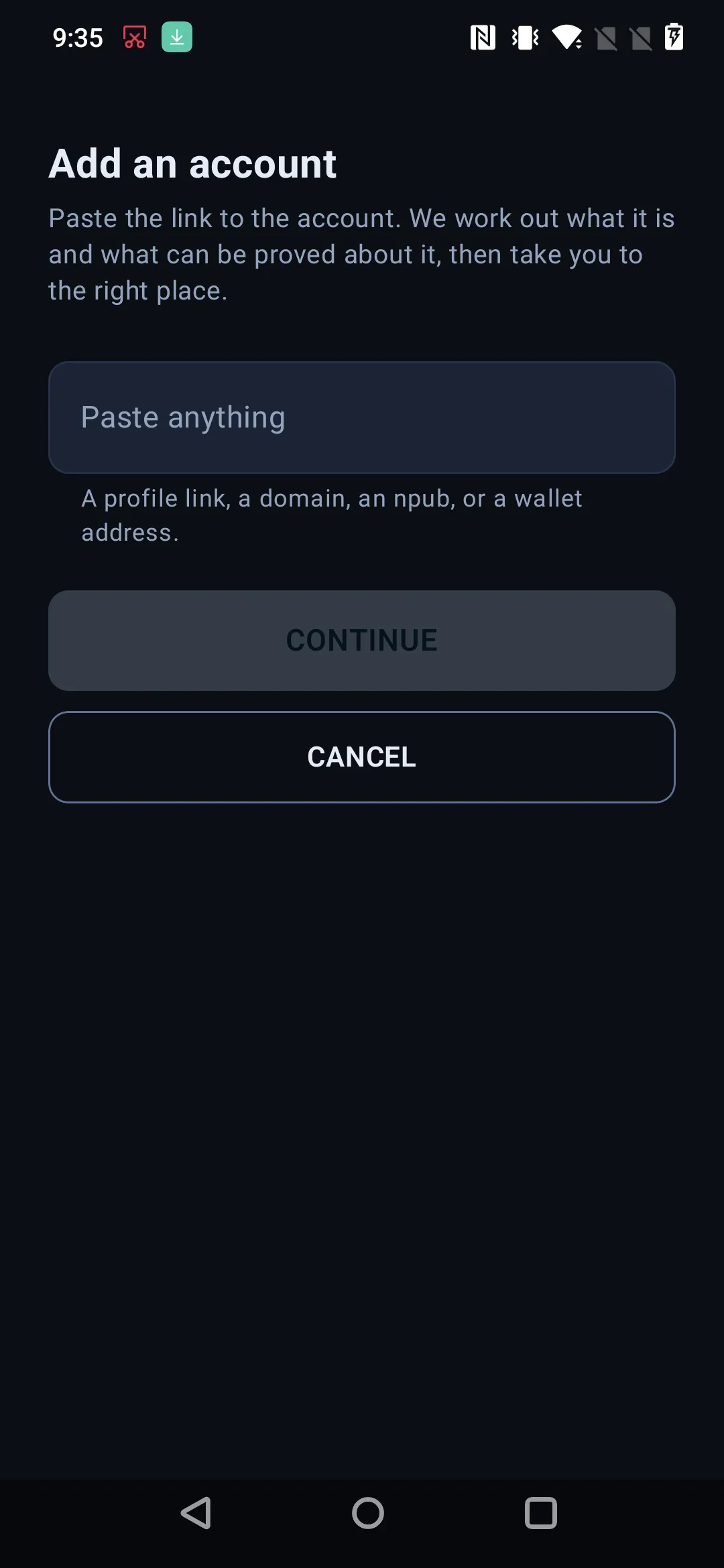
One way in, whatever the platform. Paste a profile link and the app works out which proofs are possible for that service, then routes to the strongest one.
Under it is the same list of five types the website shows, in the same order and the same words. The first two go back to the paste screen, because a profile and a page both have a link. The other three are the cases a link cannot reach: Domain, Crypto wallet, and Nostr key. The wallet row asks Which wallet? before it does anything, because Ethereum, Solana and a Lightning Address are three different checks behind one word.
Posting a token works the way it does on the website: the app issues the token, you publish it, then paste the link to the post and run the check.
Signing in with the platform (OAuth)
Section titled “Signing in with the platform (OAuth)”The strongest and fastest proof, because the platform itself answers. It asks before it tells us anything, and the proof is verified the moment you land back and not yet public. That second half is the part people miss.
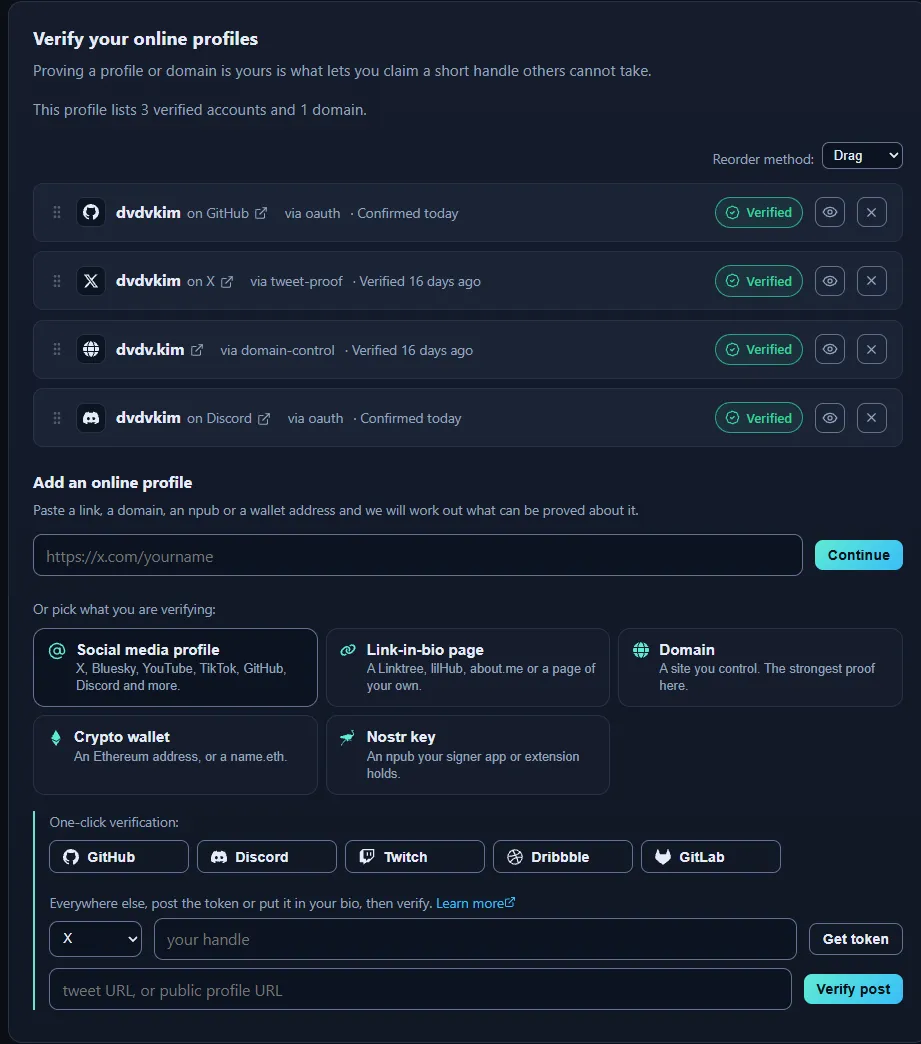
Pick one and it sends you there and back.
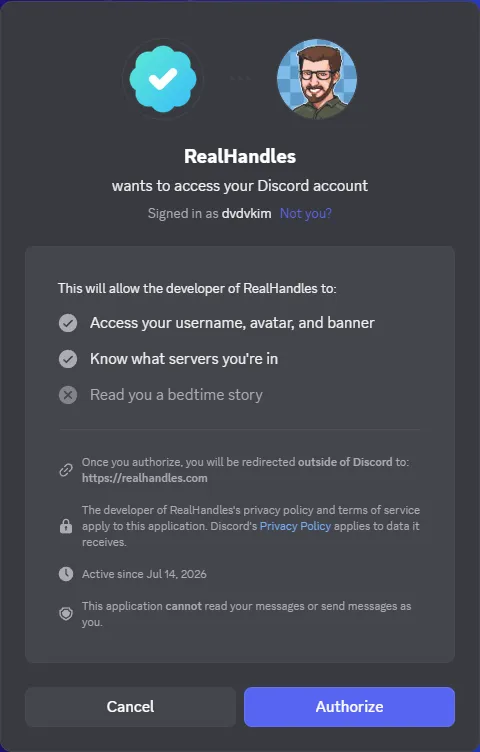
The platform asks before it tells us anything. RealHandles requests your username and which servers you are in, and the screen states outright that it cannot read or send your messages.

Verified the moment you land back, and not yet public.
One thing to expect: if the desktop app is installed, the platform may try to hand the login to it and the browser tab will look stuck. Use the link to continue in the browser, or quit the app.
Signing in with the platform works in the app. The app asks realhandles.com for a start URL, opens it in the phone’s browser, and the finished handshake comes back to the app on a deep link.
Two things about that return are worth knowing, because they explain what you see:
- Nothing the return link says is displayed. The wording names the platform the app started, not whatever the link carried.
- What happened is read back from realhandles.com afterwards, because the server is the only party that knows whether a proof was actually created.
If the copy of realhandles.com being talked to cannot hand the result back to the app, the app refuses to start rather than strand you in a browser tab, and says to use the website for that one.
If you administer servers or organizations on that platform, you are offered them next, in both clients:
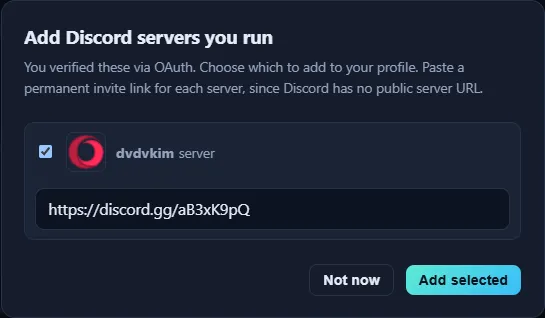
Being an admin proves control regardless of who signed in, so these can be verified as first-party accounts too. Discord has no public server URL, so a permanent invite link stands in for one.
Domain proofs
Section titled “Domain proofs”Publish a one-time token at /.well-known/realhandles-challenge.txt, or add it as a DNS TXT record. Either one on its own is enough. The token is yours and does not expire, so setting it up on a computer later is fine.
A check that fails right after you set it up is normal. DNS changes and caches take minutes to hours to reach us. Nothing is lost, so wait and check again.
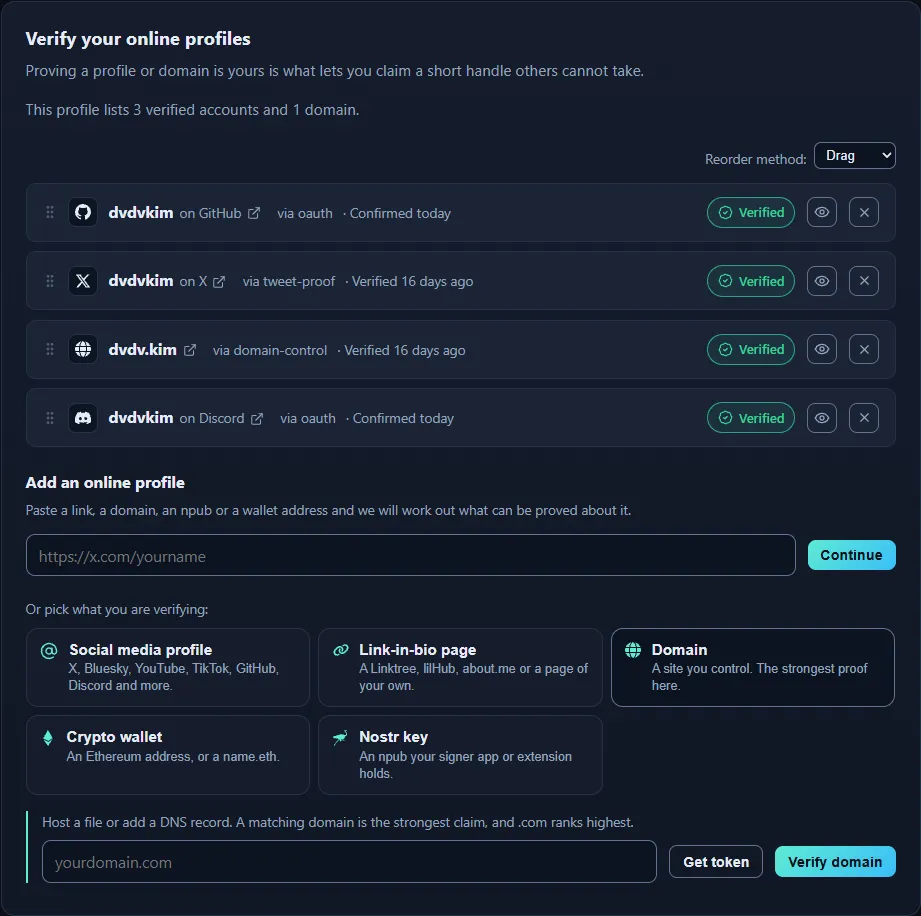
The token can go in a DNS TXT record on the domain, or in a file at /.well-known/realhandles-challenge.txt. It stays valid while DNS propagates, so there is no race to win.
Domain is one of the five type rows, because a domain has no profile link to paste. Name the domain, take the token, publish it, then press Check now.
Nothing is waiting on the phone, so leaving the screen and finishing the DNS record on a computer later works fine.
A verified domain is separate from an anchor, which is where a copy of your signed identity is hosted. Proving ben.com and anchoring at ben.com are two different actions.
Wallets, Lightning and Nostr keys
Section titled “Wallets, Lightning and Nostr keys”A wallet and a Nostr key are keypairs already, so a signature over our challenge settles it outright. No platform is asked and no page is read.
- The challenge is tied to your login and your key, so a signature made for it cannot be replayed somewhere else.
- The server recovers which address or public key signed. That address, not one you typed, is what gets recorded.
- A signature is public. Producing one proves the wallet without opening it, and no transaction is made.
Ethereum and Solana are both verified this way, and they are two checks rather than one. Ethereum recovers the signer from the signature itself, so the address is an output. Solana cannot, so you name the address and the signature is checked against it. That is why they are offered as two actions and not one wallet button.
If the address has a primary ENS name, or the Nostr key has a confirmed NIP-05, your profile publishes the readable name instead of the raw string. The key underneath is still what the identity rests on.
A Lightning Address is the exception
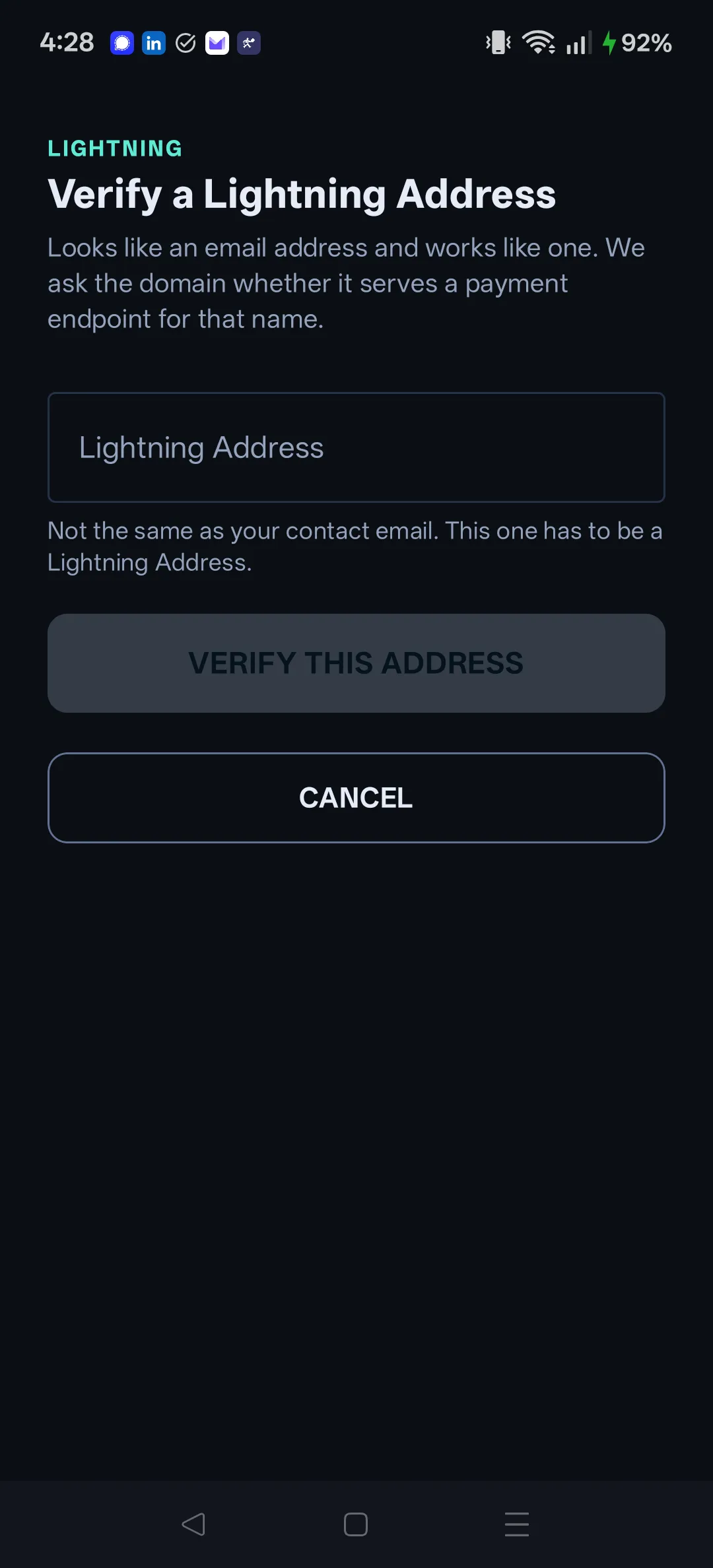
Section titled “A Lightning Address is the exception”A Lightning Address is the you@example.com shape wallets already use (LUD-16), and it is the one Verified thing here with no signature and no private key involved on your side. We resolve it the way a wallet would, to https://example.com/.well-known/lnurlp/you, and Verified means that endpoint answered as an LNURL-pay request.
Read what that does and does not say. It is a first-party check, because the answer comes from the host that runs your address rather than from you. It is a weaker statement than a signature, because it proves the address resolves and can be paid, not that a key proved anything. So it shows Verified, it counts toward your trust score, and it never reserves a short handle. It is counted as a wallet on your profile rather than as an account, which is why a count can read “1 verified account and 1 wallet”.
The Crypto wallet tile holds all three, one row each. Verify Ethereum signs the challenge in the browser wallet. Verify Solana signs it in Phantom or another Solana wallet. Verify Lightning takes the address and resolves it, with no wallet app involved at all.
Bitcoin, Polygon, Base and anything else can be listed as Claimed addresses instead, under Claim, because nothing there is being checked. One Ethereum verify proves the key and not the label: see Claiming an account for why Polygon and Base are labels you list rather than chains we check.
Two of the five type rows, for the same reason a domain gets one: a keypair has no profile link.
-
Nostr key. Signing is handed to a NIP-55 signer app such as Amber. The secret key stays inside the signer and is never seen by RealHandles or by the app.
-
Crypto wallet. It asks Which wallet? first, then branches three ways.
Solana hands off to Phantom when Phantom is installed. Press Open Phantom, approve the connection and then the signature, and it returns on its own.
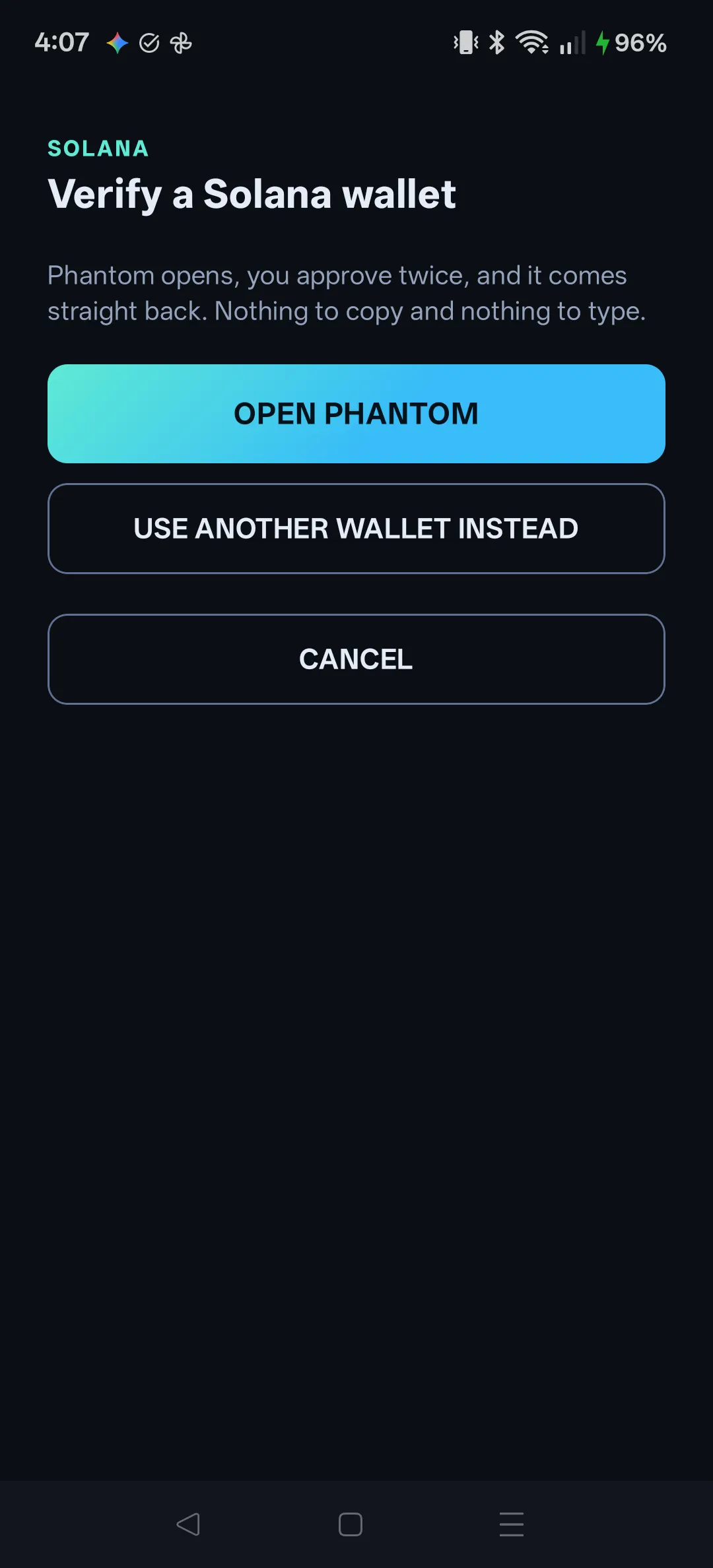 Nothing is copied and nothing is typed, which matters more here than convenience: a Solana signature cannot be traced back to the account that made it, so the address has to be supplied alongside it, and a person carrying an address across by hand can pick the wrong account without noticing. Phantom reports the address itself, so that mistake stops being possible. The approval screen shows no RealHandles logo, because Phantom reads app branding from a web address and the return has to use a private one to come back to the app at all.
Any other Solana wallet uses the same paste-back the website falls back to: the app shows the exact message, you sign it wherever you like, and you paste the signature and the address. The screen names the address you are about to claim, in full, before it submits.
Ethereum shows you the exact message, you sign it in the wallet app and paste the signature back. No transaction and no gas.
A Lightning Address needs no wallet app at all: the app resolves the address itself.
After you verify, publish
Section titled “After you verify, publish”A new proof lands on realhandles.com immediately and reaches your signed manifest only when you publish and re-sign. Until then, anyone verifying you independently sees the previous version. See The signed manifest.
Hiding an account
Section titled “Hiding an account”Hiding keeps the account and everything it has already proved. It stays attached to your identity and it still counts toward the handles you are allowed to hold. What changes is that the next version you publish leaves it out of the public manifest. So hiding on its own changes nothing for anyone checking you: it comes off your public proof when you publish, and showing it again later is a publish of its own, not an undo.
The eye on each account row toggles both ways. A hidden row stays on the list, dimmed, and the eye turns it back on.
The eye on each row toggles both ways, in the ordinary list and while you are arranging it. A hidden row stays on the list, badged HIDDEN, which is the point: the one screen that can put an account back is the screen it was missing from for as long as hiding dropped it.
Hiding your whole profile
Section titled “Hiding your whole profile”Hiding one account and hiding everything are different actions, and the second one is not a bigger version of the first. Whole-profile visibility is a field in your signed manifest, applied by re-signing, so your key authorizes it and a login alone never can, exactly as with renaming and deleting.
Hidden means removed from the directory, search and your public page. Your signed history stays verifiable, because it always was. That is deliberate rather than an oversight: your chain and its timestamps keep serving, because being able to withhold verification data on request would make us the gatekeeper of who can be verified, which is the one role this product refuses. The commitments are in Bitcoin either way, so erasure is not a promise anyone could keep.
Your handle stays yours. Anyone opening realhandles.com/yourname is told the profile is hidden, not that the name is free.
Profile visibility is at the bottom of the Profile tab, with a badge saying which state you are in. Hide my profile and Publish my profile again both need your key unlocked, because both are a new signature.
The visibility footer at the bottom of Identity > Profile says Published or Hidden, with HIDE or PUBLISH beside it. The app both sets and preserves the state, so hiding from the phone is a real publish rather than a request to the website.